
Navigation
User login
Upcoming events

Recent Events
- 12 weeks 3 days ago
- 15 weeks 1 day ago
- 24 weeks 4 days ago
- 26 weeks 5 days ago
- 27 weeks 8 hours ago
Newest Games

Search
Who's online
Development Diaries
loutra
Thu, 09/02/2021 - 09:23 — eyes_8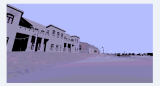
in contrast to my last post, i write this, and ive written it a number of times and closed the tab, losing my progress.
in contrast to the utter artistic pessimism in the last post.
i went on an art residency in 2019, to the island of nisyros, a round island with a volcano and just about two small towns. 11 days, we had two masters students who spoke fluent greek, 3 undergraduates, and me- i'd just graduated in july. my grandmother had just died, and everything was clearing up, and this trip was my first dip into post graduate life. before the burden of the arts space, and finding work, i had this. my gran would have been proud of me, for certain, a free holiday...
we arrive in rhodes, stay a night, have breakfast in a terrace courtyard- with a whole lime tree making up the ceiling, a red canary, eggs and ham. we get a ferry to nisyros. its a big boat, ice cold inside. we turn up on the marina at night and a guy on a moped attends to us. he was a bit of a slimeball, ominous guy, i didnt trust him at first and he didnt trust me.
we got a car ride to the bath house, where we were staying. the driver mentions his one available reference, manchester united- it struck me pretty hard, because i noticed how out-of-touch i was with reality. whenever football is mentioned, its like im back in school, and that ball hits me square in the head again, i realise i dont have a clue about it and that makes me out of touch.
we have 11 days to do whatever. id brought a crumb of hashish in a pair of shorts, so i was savouring it. listening to the leaked Kanye West Yandhi album. every now and then, i would catch recommendations through the radio, or through my new friends. Trash Island by drain gang was released at this time too.
the first night, i think, was our first exhibition opening in the basement gallery space. i was in greece- so i didnt make it, but my girlfriend at the time was there. come to think of it, she didnt talk much about it, but she probably couldnt get a chance between me gushing about the trip. to be fair to me, it felt incredible.
there was a small restaurant / taverna attached to the bath house. i spent the first day combing the beach and swimming in the ocean, i hadnt done for many years. cutting into those waves was damn scary, envigorating, always though they would push me back to the rocks.
days after, we meet with the mayor in his office. all their PCs are running Windows Vista. he agrees to let us have an exhibition at the archaeological museum, we'd visited days prior looking to hold an event there. we had basically turned up and demanded a venue, but this didnt matter to me, i couldnt feel self conscious, i didnt know the language. and everyone was kind, the mayor, the curator at the museum.
they were already busy, we couldnt have the interior space, so they let us install in the courtyard.
the mayor also invited us to a celebration event at a monastery at the top of the mountain. they cooked goat, i think, or a cow, and rice.
we cooked in a small outbuilding on a raised area behind the bath house buildings. the first few nights, having coffee, ham, we would walk into mandraki to buy pastries in the morning. all made by sweet, stoic grandmas.
there was a group of these grandmas at the celebration, headstrong, strategising on how to serve the guests. it struck me heavily because it reminded me of my gran, as that was the person she was too, just on the other side of the equator. i cried about it silently for nearly two hours, luckily it was dark, but my friends noticed when the lights were around. i told them i was mourning.
i would get an iced frappe from the taverna in the morning, smoke, listen to the owner groan along to Chelsea Wolfe. i would swim when i wanted.
my artwork was rudimentary. found object sculptures, glowing pigment, photographs, lots of photographs. i have a habit of finding ephemeral items and holding them up like relics, and then i inadvertently destroy them somehow along the way. i would trace images straight off my laptop screen in ink pen, or pencil, on japanese rice paper, mounted on aged archival paper. i'd found it in my grans shed when we were clearing out her home. it was a dark yellow from being in storage for so long. as soon as i got there i was determined to remember everything. it was like stepping into a fantasy! a dream. a bath house, i sat in the water, heated by geothermal energy, i floated in it. marble bath tubs.
we would eat at the taverna in the evening. play cards. one day, we took turns reading characters dialogue from macbeth. i was him, watching all my friends fight and die around me, before dying myself. poison! duels! how cruel.
the later half of the week was filled by hosting the exhibition. there wasnt much of a lazy-morning feeling when we had to go into town for breakfast. better to be in town before 12pm, because even in october, making that journey in full view of the sun was debilitating.
the exhibition went successfully. children arrived and stayed for as long as they were allowed. some spoke excellent english. i gave them all my glowing items, bones, stones, sticks. they loved them- all bright pink. tourists visited, but they mostly wanted to talk about themselves. locals visited, but they seemed to struggle finding things to say. even the mayors bodyguard, the guy who met us on the marina the first night, arrived to share his opinion.
some work on display was undoubtedly well made, beautiful. mine was not exactly so. and as a result the henchman stayed on mine a bit longer than others, looking at it intently. maybe he was picking it apart. weighing up what was good and what wasnt, just like i do when i look at artwork. he had seen other shows before, hes searching, on some kind of path. id seen a cross and some rosary beads wrapped on the handle of his moped , scuffed plastic, and some fancy metal-alloy brake locks. this is a swell for me, where the story swells, paths, journey, riding, spiritually, half-trapped and half protected by masculinity, one day i can put all that into proper words.
i dont see anything wrong with presenting half-good artwork... as long as it helps you appreciate what youre looking at more. its all in pieces, dont condescend an audience, let them see their bigger picture, let them interpret, thats a good thing.
the last few days were spent invigilating the exhibition, sat in the hot sun. we rented a car, and went to a beach far away from the towns. it was just us there. coarse sand, i could see every grain. they stuck to me like armor. i found a fragment of obsidian on the ground, wish fulfilled. i could see the clouds of the milky way when i looked up at the stars at night. but the steam was spent, all hot air, we were revolving again, down the barrel back to somewhere else. a new life, back at home, NEET now, but thats a boring story for another time.
this is when i decided to make games. it has been a twisted path, definitely weird, ive had to turn away from things that werent right. but its all good now, i think. we shall see.
i re-built the bath house and marina, its in a Unity project. it has a unique visual style, nothing like reality, but i love it still. i still work on it, the trip was in 2019, so its been nearly 2 years now. its no game, its just a place. dont know how to package it, ship it, gamify it, i dont want to. ill just keep working on it and it should fall into place.
ive spent a few solid months work on the Loutra virtual space. ive been learning unity at the same time, unreal engine, releasing other things, learning 3D. it will come out one day, and it will be a big picture. i promise
apologies for present / past tense mixing
art gallery
Sun, 08/22/2021 - 12:01 — eyes_8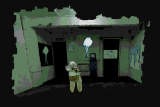
i had been working on this game for a while, posting to twitter regularly at the time- my aim was to create a sort of 3dimensional room to install digital artwork.
around this time NFTs were gaining notoriety too. I felt it was at least relevant or interesting to work on this idea and make it real. i love the idea of tangible virtual spaces that have purpose or atmosphere. i was just finishing up a two year curation residency, after graduating me and a few friends were given a gallery space to host exhibitions... it was fun, exciting, but the space was a basement gallery, full of damp and mould, it was trash really. but it felt like something. so i photoscanned one wall of the gallery space and i was going to make it into a virtual gallery.
this wasnt my first time trying and failing to do this- i wrote about my experience doing VRChat art gallery here: https://d48bc053-7c66-4794-971d-1fdc40fa85fc.filesusr.com/ugd/a5eb28_8004c9a6388f4ce99b741cd8230695de.pdf
( as part of this publication: https://www.softspotsoftspot.com/sso3a )
tldr it was a similar failure, in truth i guess not many people share this weird dream i had of art galleries being monasteries or institutions for experimental thought & practice... maybe people can 'feel' it, but they can't get involved, they have ther more tangible things that burden them. and honestly the more i did these things the more they felt like a burden, thats why im writing here, for some catharsis maybe.
a 'white cube gallery space' is a type of interior design (?) or something that is adopted by most art galleries. they are devoid of character, and devoid of life maybe- its kind of the point, so they dont interfere with the work. but to pretend like white cubes really exist in a vacuum is just pure unbridled fantasy, and it does more harm than good- me, a young graduate doing a vague unpaid internship was sold a life as a fantasy. and i didnt make anything good out of it. both myself and the system i was a part of are to blame.
working digitally i met the same issues as in the physical space. these issues were mostly, audience and publishing, who and what is being platformed, identity of the space & how it exists- as a 'thing' and in peoples lives.
physical space- almost entirely attended by art graduates being sold the same fantasy (i also use the term dream, but honestly, no one dreams of this), mature people who have doubled down on the fantasy, or have nothing else to value higher than this... and very rarely, one or two alienated members of the public, too nervous to engage. i think its completely hostile to that sort of person. and they are total aliens, its hard to explain, they move through the space and people move around them, like they arent part of this fake world, maybe im actually jealous of them.
tldr art galleries in modern times exist as a hostile liminal pseudo-environment that is riddled with challenges and fundamental issues.
i enjoy sculpture parks, art in open air, the experience can feel slightly more sincere, but that may be my personal bias.
in 2018 we held an exhibition in a disused bank- it was being sold and in the process of changing hands, and in the UK, theres a bit of a subculture around abandoned spaces and squatting laws that permit / provoke people to engage with them. so you have little events managers holding raves or lock-ins where everyone stays inside and gets smashed and does a load of drugs. but in galleries this type of fun is Not Allowed because everyone is upholding that hostile pseudoenvironment rule. (not to say that either is better than the other)
we basically talked to the guy who was hosting events in this space and got to install work there, there were like 5 of us and the space was HUGE, had everything- vaults, underground vaults, back tea-room, front area, lil offices... buildings are made of bones, and organs, and they all function like a living thing when we move through them. this space, its bones had so much character, it feels fulfilling to exist within that. knowing its all been picked clean lets you see it in the new perspective, lets you understand everything a bit better. this experience is probably the most valuable part IMO
we had projections in the vaults, we recorded videos in the basement and played them upstairs, cosmetic sculptures around, narrative-led artworks in offices, a whole installation in the main foyer, performances in the tea room. we served drinks out of the tills. it was actually good, now im writing about it, that felt really good. this was before we were given the actual art space, and i think it was probably the most exciting part of anything we did, even if we didnt know at the time.
we had a lot of benefits helping us tho- we were still connected with the graduates above us, as well as ppl in lower years, it was very local and easy to get to, properly unique interior space, solid work involved. it would be unrealistic to imagine that a similar thing of that scale could happen again and receive as much attention. it was a one night thing, be there or be square.
(sidenote: we had a lot of random people attend this bank show and actively engage with us, other people, and the artwork on show. they had been to other events in the space etc. so cultural diversity was high i guess. this essentially never happened at a 'real' art gallery, where the crowd was always the same)
maybe in a big city that depends on its subcultures, you could convince a relatively large crowd to visit something similar- i think of that 2015 noisey video about UK raves, how you have these old-heads committed to their vision of the scene, racking lines on CD cases in the back of cars, in some backwater car park in wales... contrasted with wealthy london young people desperate to be cool, doing pills to dance then balloons on the floor in a white room. in the vid, the guy talks about the latter as if its the mecca of raving, (in fairness it probably seemed good compared to the other options) but after i watched it, i was hit with this pervasive thing, i cant describe, i guess it made me face my meager relationship with subcultures in general ... im still not over it, cant quite figure it out.
one of our aims as a collective was to facilitate collaboration / conversation with people in a range of mediums. this was essentially impossible to do and we fell into a rut of googling artists and picking ones we liked the look of. if anyone in my real life heard me say that, they would hate me for it, but it is the sad truth.
i like virtual environments and building them because it does allow me to explore headspaces and thoughts i have from a new perspective, as i get older and my responsibilities change this can get muddy. i start thinking i need them to do something or there should be an outcome i can hold up and be like "i did this, its like this, and it works".
so back to this art gallery game, it went nowhere and still is nowhere, after seeing things like Art Skool on nintendo switch and cyber.io NFT art galleries, my milk turned sour you know what i mean? then i think, maybe i should apply myself to these things and provide my thoughts to them, but for some reason im not going to do that. im a bit of a weird hoarder in terms of the things i make, i cant put them down even if theyre garbage, i still hold them up and mount them in my brain as if they have value.
my idea was to have an open-house virtual art-gallery environment that's free to use by anyone for whatever they want. i quickly realised that no one really wants this, even if they think they do; the real-life equivalents is not better, is less desirable, and requires more effort. my real life experience curating gallery spaces, its incredibly enriching to install in the bones of something old, with a relationship to diverse subcultures. joining altgame community i hoped i could have something similar happen but whatever i was doing wasnt right. maybe too rigid, too reductive, too bland, too hostile to facilitate engagement. but i sitll have it in me. the title for the game was originally 100rooms, then underground gallery, now its abandoned (and not in a cool way).
i sometimes think about tiktok and roblox, or these types of metaverse(EUGH) platforms , and wonder if they are for me. but i feel like they are not. gamedev twitter is a lot of shilling, no hate to anyone, i guess free-market means you have a LOT of desperate traders. and its exhausting, especially if you want to see this stuff as artistic, creative, spiritually valuable, to have so much murk to wade through. i guess this is why curation is crucial, because it allows the audience to be free from the burden of over-saturation, makes things comprehensive.
but how do you curate in an ethical way, on a philosophical level, and how do you apply that as logic / formula to these platforms that capitalise on free-market, so don't really want it to happen? they always just let algorithms do it? like, if you could curate roblox, you can no longer tell every kid that they can make it big and go pro because its demystified- either someone is pulling the strings, curating the popular stuff and is responsible for the fame, or the systems and feedback loops that we are vulnerable to become obvious. at least thats how it appears.
with free games YOU are the product - no joke. you are at the mercy of brain chemical induced feedback loops. LoL, Valorant, Apex, Warzone all run on the same chemicals and they are proliferated by all the people who freely give their time to these experiences. Adopt Me on roblox has lootboxes too. i thought it was just a fun roleplay where kids were being kids (like when i was a kid, watching other kids play Family RP in Blockland) but no, turns out its heavily gamified via dopamine loops. i dont know what to think of this, something tells me its all wrong. but maybe if its fun theres nothing wrong with it... but maybe these games become institutions and they rob their players of other more enriching experiences. i dont know.
i also resent the systems that guilt their consumers in order to make sales, or weaponise their independence. i just feel like grassroots as a USP is just as bad as a marketing strategy.
i wish we were free online. we can be whatever we want, and we choose to drag these terrible things in here. like imagine walking through a monastery with your dirty shoes, claiming you're a monk, keeping your shoes on, and never sweeping up. saying that the dirt belongs there, because dirt is on the ground. maybe its unrealistic to think of cyberspace as a spiritual place.
i dont feel comfortable with the term curator, i barely am one. im barely an artist nowadays too. not sure if this is the place for this type of writing, or what exactly im trying to do, but at least im trying. we can be glorious trainwrecks
next game? go again? extra LIFE? hopium??

Rotting Seaweed
Tue, 08/17/2021 - 23:32 — TheCakeFlavorThis isn't *really* a blog entry. I know no one reads the blogs here, so I'm using this as a sneaky image host for a game called "going to the beach with your favorite nerd :)". It doesn't exist yet, but I'm almost done making it, and if you go back to my account and click games, you'll probably be able to play it.
I can't host the images on the game page, because it doesn't exist yet, so I gotta host em here. Thamks to sergiocornaga, I found out I could unlist them, so there's no risk of any snoopers around.

running katelabs on linux
Tue, 08/10/2021 - 13:19 — bagenzowas playing some katelabs worlds today and remembered that info about this isn't anywhere i can find, so here's how to run katelabs on linux (tested on debian 11)
1. create a new 32-BIT wineprefix:
WINEARCH=win32 WINEPREFIX="/home/YOUR_USERNAME/.katelabs" winecfg
! important ! only works with a 32 bit wineprefix - some of the stuff below will fail to install otherwise
2. install necessary stuff with winetricks:
WINEPREFIX="/home/YOUR_USERNAME/.katelabs" winetricks amstream dmband dmcompos dmime dmloader dmscript dmstyle dmsynth dmusic dmusic32 dsound dswave qasf qcap qdvd qedit quartz vcrun6 xvid
after doing this you should no longer get a "memory access violation" error after selecting the resolution

I making a new game
Tue, 07/20/2021 - 12:16 — zelezo![SFrRH5lg[1].png](https://www.glorioustrainwrecks.com/files/imagecache/ssthumb/files/screens/SFrRH5lg%5B1%5D.png "SFrRH5lg[1].png")
Name of this game is The Day of the Dray! This game will be pretty long

On “Master/Slave” and How Godot Developers Handled Calls to Change The Phrase
Tue, 06/08/2021 - 16:37 — gisbrechtOn “Master/Slave” and How Godot Developers Handled Calls to Change The Phrase
by Mariken S.
I've been making games for a while, and I've been sitting on some finished—but unreleased—Binky games since 2018. They were all made in the Godot game development engine, which because of what I will elaborate on in this essay, I can no longer use consciously. I really would have tried to finish this essay which I felt was necessary to include alongside the games sooner, if it were not for my depression, the banal pressures of university, and the ongoing COVID-19 pandemic among others. I would like to heavily thank my friend Nikki for revising and editing this essay.
As full disclosure, I am a white woman who lives in the USA. Thus I do not have a lived experience of racism and the legacy of slavery. If you find issue with this writing, feel free to message me on Glorious Trainwrecks or other avenues. My page is found here: https://www.glorioustrainwrecks.com/user/24039
You will need to make an account in order to message me.
The event as described happens in March of 2017. On the development website Github, user Hikari-no-yume spoke up on the word choice for Godot's scripting language. She states that the word choice of Master/slave "may be unfortunate..." and that "At the risk of starting a flame war, it might be worth changing them." And well, a minor flame war of sorts did begin in which some of Godot's developers revealed their true characters.
The entire conversation can be found here:
https://github.com/godotengine/godot/issues/7986
An archived web page defines master/slave as "a model for a communication protocol in which one device or process (known as the master) controls one or more other devices or processes (known as slaves)"[1]. Said page now redirects to
https://www.theserverside.com/opinion/Master-slave-terminology-alternatives-you-can-use-right-now
In contrast to attempting to defend the term, as some Godot developers did, the authors of this website seek to provide alternatives in language.
I think it is clear: Master/slave is an inappropriate and racist term. These 'slaves' are not people, they were never taken from their homes and forced to work in unbearable conditions. They have never had to suffer the innumerable accounts of life under slavery that can be read or watched. This linguistic metaphor trivializes the centuries long experiences of victims of slavery and their descendants. These so called "Master and slaves" are pieces of hardware, of plastics and metals, of zeros and ones. Though in regards to the last sentence it should be known that many electronic devices and their components (see: conflict minerals) are created in unethical and unbearable conditions. But that is another essay. Furthermore, the problem of Master/slave is not just one that is exclusive to the Godot engine, but the field of Computer Science as a whole.
Going back to the issue as brought up on Github, some seemed receptive to Hikari’s request, but one person in particular gave a strongly dismissive response. Said person is Reduz [Juan Linietsky], a head developer of the Godot engine alongside Ariel Manzur. His objection is as quoted:
"Sorry, I think this is stupid, slavery has been erradicated centuries ago and there is no one alive that could be offended or discriminated by such condition.... I understand there are a few retrograde countries still around, but i think naming convention in a game engine is the least of their problems. ...I'm all for stuff like inclusion, equality, human rights, etc. But using less clear and accepted technical terminology for groundless cause (IMO) is not a good idea."
I think this is an incorrect reasoning. Slavery has been ceased in the manner of the USAmerican plantation (chattel slavery), but still there is human trafficking, the prison-industrial complex, and other atrocities. The memory lives on in many a people's consciousnesses. There is even discussion of trauma that can be passed down to generation to generation. The scars of such deep atrocities do not heal easily as this Reduz could think. He does not consider the feelings of people who are different from him. Reduz mentions "retrograde countries" but does not really elaborate on this concept. Does this imply that Reduz believes the fact that slavery is a problem in the global south is a reason that the global south is how it is? It is a circular logic that does not think of the etiology, the origin, of the problems of the global south. Does one not remember the hundreds of years of colonialism and imperialism of the Global North (mainly the European powers) upon Africa, North and South America, and Asia? The Global North exploited these areas for their labor force and natural resources among other things. This statement is merely scratching the surface of why the Global South is how it is. This further ties into Conflict Minerals, where most of the conflict is in the Democratic Republic of the Congo (A former colony of Belgium until 1960). This website seems a bit outdated but it is a good starting point if one wants to research conflict minerals in the DRC: https://conflictmineral.wordpress.com/
Another one such complaint by "freemanfromgodotengine" says more of the same:
"I checked. Original text by Global Language Monitor[2] says clearly, that it's all about Political (in)Correctness. So, imho, if we are not making politics here with Godot - and we are clearly not, because it's a game engine for all - we should stay with the most logical terms and meanings of words..."
Game engines and politics!? In the circles I orbit I have seen some mockery of such behavior, of thinking that games can be without politics. And the phrase 'Political Correctness' is a dog whistle to reactionaries. It is often used to either point to the antisemitic conspiracy theory called 'Cultural Marxism', or simply to mock anyone who supports leftist or liberal policies. It is a dangerous phrase to use. I think the fact that the Godot Engine is “free and open source software released under the permissive MIT license” https://godotengine.org/license entails an anti-capitalist political bent in a world full of computer program subscription licenses. It is to go against the almost monopoly-like nature of proprietary software such as Microsoft and Adobe. Free and Open Source Software is, in many cases, a community effort. Godot is one such example. Does freeman’s use of “for all” not entail a collective use? Is Godot not for people who object to the use of "master/slave" terminology? Because of this fiasco I feel excluded from using this engine to make games! I do not feel comfortable working on games if the lead creators of the game engine have such a dismissive world view of such issues.
There is some more talk of it not really mattering, and then a few days later the administrators close the issue. However, on Godot's official IRC channel, a less visible but still public space, further discussion continues.
Reduz acknowledges other’s experiences by saying “Where I live, racism pretty much does not exist, so I am completely indifferent to master/slave terminology, but I can understand if this was more offensive somewher[sic] else like in the US”. What proof does Reduz have of racism not existing in his publicly listed location of Buenos Aries? A cursory internet search gives discussion of racism and the likes in Argentina. Continuing the conversation, the community members make light of the debate, with Reduz joking that “Also, I suggest we replace master/slave with slug/human”. This trivializes and turns the traumas of slavery into science fiction tomfoolery. He further invokes a foolish straw man to replace “master/slave by sjw/whitemalecis” with no understanding of power dynamics, the benefits of being white as opposed to being black, the benefits of being a man as opposed to a woman, and benefits of being cisgender as opposed to being transgender.
As of 2018, Godot now uses the word "puppet" as opposed to "slave", shown here: https://github.com/godotengine/godot/pull/22087
Regardless, when discussing the change in a separate thread, now only open for comment to developers of the Godot engine, Reduz's behaviour still comes off as dismissive, arrogant, and heedless of the reasons for such a change being demanded. His responses can be found here https://github.com/godotengine/godot/issues/7986#issuecomment-421185969
To highlight an excerpt from Reduz:
"I hope you understand that, even though the majority was in favor of this change, most of Godot contributors are not from regions where the "slave" word (still) has a strong negative connotation (case in point, most contributors are not from the US). The world is more complex than many believe it to be."
Perhaps this has a tinge of calling feminism and civil rights movements as 'western propaganda'. It echos of freeman's comments of 'Political (in)Correctness'. It makes it seem as if the legacy of racism in South America is not as damaging as it is in the United States, Canada, etc.
To conclude this writing here are excerpts of further evidence of the Godot development community's problems from the IRC chat logs, publicly available, and my commentary:
[15:00:31]
[15:01:56]
Windfisch's words come off as indifferent to the feelings of those upset by the use of the "slave" term! They think of a few developers, who may or may not even care about the issue, before the good of the community. They value the right of the lead developer to be argumentative over creating a positive and welcoming space. What entails a "more valuable developer"? Does Windfisch find white people who are indifferent to racism in terminology more valuable then people of color, or anyone who takes offense to the "master/slave" term? I think that is what this user is getting at.
[14:52:23]
[14:54:20]
[14:54:36]
Again Reduz accuses the act of correcting the language as being of an USAmerican centrism. And again the reactionary phrase `politically correct` is used. Does he really believe that USAmerican colleges are centers of Marxist indoctrination?
[15:08:12]
[15:11:23]
Just as the theory of intersectionality can be used to describe an interlinking of oppressed people, it can also be used to describe how oppression under slavery and bondage is interlinked with oppression as a lgbtq person. It is reductionism to dismiss anti-racist language as simply lgbtq persons being 'frivolous'. It is dismissive of the decades of work by civil rights activists.
As mentioned, these IRC logs are publicly available, and logs I quoted from can be accessed from the link below. There is much more evidence of harmful remarks and debates within.
http://godot.eska.me/irc-logs/devel/2018-09-13.log
http://godot.eska.me/irc-logs/devel/2018-09-14.log
In conclusion, the behavior of Reduz in regards to the “Master\Slave” situation is my primary motivation to stop using Godot Engine. I do not seek to shame anyone continuing to use the engine to make their games. I am simply a person with a strong conscious. Thank you for taking the time to read this.
[1] https://web.archive.org/web/20170204003218/http://searchnetworking.techtarget.com/definition/master-slave
[2] A word of caution: As of writing, the website for the Global Language Monitor seems to have real life gore on the sidebar. We can conclude that the website is biased to the reactionary right wing by its' use of the phrase 'political correctness' and claiming words such as cisgender are 'politically incorrect'.
Buy Sonic Action Figure | Sonic The Hedgehog Toys
Fri, 05/28/2021 - 23:04 — Anonymous
15 Ways to Surprise Your Little One
Children of young age need to play with higher level toys that sharpen their mind and enforce physical activities, and due to this reason, while selecting a surprise gift or toy, it should have cared for that product should challenge the growing abilities of children physically and mentally. There is a list of 15 ways that surprise your little one.
1. BrainBolt: It is a classic game that is a memory booster and serves as the best way of killing time on a long journey.
2. Paper aeroplane controlled by smartphone: It encourages children to play outside and teaches principles of aerodynamics, flight and sharpens their reflexes.
3. Marble Circuit logic board: It helps in developing cognitive skills and amazes your child.
4. Action Figures: The action figure of your child's favourite character will surprise them and increase their joy to many folds, and parents can purchase Sonic action figure
.
5. American Ninja warrior game: It is an amazing game that improves the skills of your child and increases their level of enjoyment.
6. Toys to make a racing car: The game of making a racing car is amazing, and it surprises your child.
7. Meltdown: It is a game that enhances the critical and analytical skills of a child, and they also like it.
8. Carpool Karaoke: It is an amazing gift that surprises your child, and children can enjoy singing on it
9. Boost Creative Toolbox: Children are able to make and program a robot and play with it
10. PLAYMOBIL: It is an amazing gift that provides the experience of playing with a spaceship to the child
11. Butts Up Electronic Game: It is a fun game that can be played with the family members
12. Star war game: Children can play amazing games form 270 pieces
13. Made Easy Craft Set: Children can play with the craft set and make amazing art pieces
14. Tiny Pong: A game that improves coordination between hand and eye
15. Make Your Own: Cross-Stitch Jewellery box: Children can make their own jewellery from pieces.

Making a browser game engine because all the existing ones suck
Fri, 05/07/2021 - 02:48 — danyburtonAround the time I posted my last post here last year was pretty much the last time I was productive for most of 2020. For some reason after that my brain became totally fried and I couldn't work on anything anymore. Near the end of the year I decided to retire and had a break from trying and failing to work on games until this year and now I am coming out of retirement to make some new good shit.
Right now I am making a new game library for browser games which I am going to call fish-tank or somethign like that. It's closest inspiration is lua löve which I think is just about the perfect game making library. It does stuff and it does it with ease, but it doesn't have much of it's own internal state which forces you to structure your game around state that the library creates (this is the reason I despise all existing browser game libraries and needed to make my own). Having little state from the library is great because it means you can pretty much design your game however you like and create whatever abstractions seem useful.
My library is a fair bit higher level than lua love admittedly, basically anything that I always implement in a game I make I am just implementing into this library which means some features by default are kind of limited to the kind of use case that I have. However, it is also designed so that all of the subsystems like renderer, soundplayer, inputhandler etc can be swapped out with your own version, you just have to implement one or two features that the library actually uses internally, like for example the inputhandler needs to provide functions for the gui system to know when the user presses buttons that control the gui. Since these subsystems are just built on top of web apis it's not that hard to implement your own one (except the graphics one, that was a real bitch).
When I say they are implemented how I use them, for example, the input handler takes all input from the keyboard and any connected gamepads and maps all of it into one virtual game controller, so all you can ask it is 'is the B button pressed' and it checks all of those actual input sources then tells you for the imaginary controller. So if you need 2 player or want to handle the mouse you are gonna have to create your own at the moment. To be honest though 2 player and mouse support should probably be added to the default one later.
Yeah so at this point the library is almost done, I just need to do the necessary stuff to implement the gui system, and then I have an approximately finished game library v1.0.0. Once that is done I am gonna make a metroidvania type game where the whole game is in a house but you have to shrink and then you can talk to rats and stuff and go inside pipes. wahooo.
Also I am gonna bring back my website and I am gonna release a scathing polemnic on why I hate the 'alt-game' label.

Hello to the new world of me!
Sat, 01/30/2021 - 10:49 — TheDoctorCrow
Hello. I am new here. Do whatever you want with this information.
