
Navigation
User login
Upcoming events

Recent Events
- 12 weeks 3 days ago
- 15 weeks 1 day ago
- 24 weeks 4 days ago
- 26 weeks 5 days ago
- 27 weeks 8 hours ago
Newest Games


Search
Who's online
Development Diaries
apologies + working on a new game
Mon, 12/21/2020 - 06:19 — durdge_oprolly about a year or so back I posted Sock Man and some other stuff and moved onto itch.io
after the games I posted I deleted most of it after one of the old sunfish members got banned and I made a dumb post
I remembered this site was still a thing not that long ago so I figured we could call that old wounds and I could move onto sharing some more games
since it's not like anything I do is offensive at all, it was more just for sticking up for them in pack mentality
since then I've been working on projects and I finished
Gamit
which was a huge project tthat had to deal with development hell for the better part of two-ish years
but now that it's done I wanted to revisit good ol' Grandman
if you're not aware
or don't care-- I can getcha up to speed
Grandman was originally a crap wario fangame I turned into my own thing with some original art
and this yellow sun dude I dubbed "Grand Grandman"
not that long ago I wanted to make another one cuz I was enjoying wario games again
I think a heavily underused part of wario is his throwing-- he has stubby arms so it makes sense they don't put emphasis on it and instead his charge
so using my dude who has BIG ARMS, let's make him throw stuff and abuse items
some ms paintin' later and I had this concept art squared up
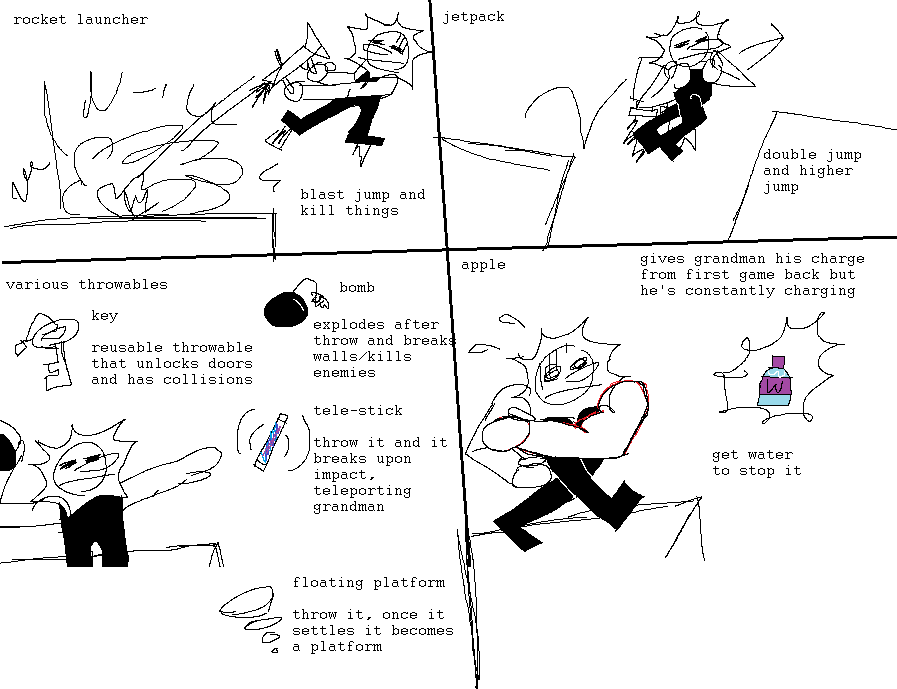
I liked it, so ever since then I've been working on it
I'm nearing the end of the engine, so now's a good a time as ever to post about it:

Chaser Enemy

A big nuke

all the level elements so far
see if you can guess em' all
I'll post some more later when my work is done,
I've got 5 things left to do before I can release a demo and start playtesting
those being:
-enemies
-dumb hat system
-level editor
-final bug-fixes
-special stuff for ground and a few other things
hope to see ya there


Dissecting the games I made when I was 12-14
Sat, 09/05/2020 - 21:56 — Smedis2
Hi! I'm alive. I know, right? It's only been like, literally over half a decade since I made anything on this website, or even acknowledged its existence. Sorry.
If you've wondered where the hell I've been, well... my situation's honestly been kinda the same since I last left on that passive-aggressive note all of those years ago. The only difference now is I'm attending college, I've jumped game engines twice (MMF2 to Construct 2 and now am currently experimenting with Godot), and I've developed a taste for those V8 Sparkling Energy drinks.
Oh yeah, I'm also 21 now. My last game was posted when I was 15. I am legally an adult to the point of being allowed to drink in the US and everything. Wild, right?
I still visit this site every now and then just to reminisce on all of the weird shit I put out back then. I kinda miss being able to churn out like 10 games in a week. Mind you, they were more spur-of-the-moment ideas than deliberately crafted out games (for the most part), so it makes sense, but still. But holy mother of GOD there is an insane amount of "author appeal" in these games, even when it makes very little sense. Mega Man MIDIs, the same few .MODs and .XMs over and over again, and, most of all, the fact that quite a lot of the games I made adhered to this "arcade standard".
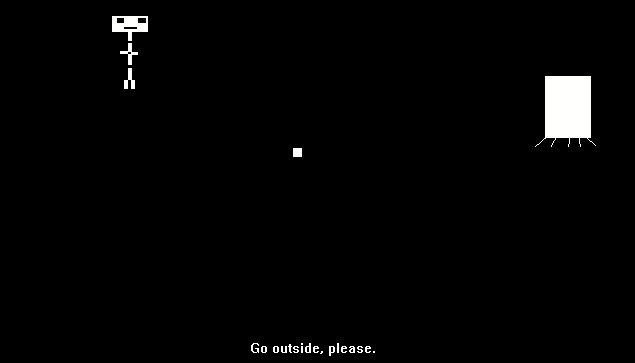
There's always gotta be some sort of player-induced violence, there's always gotta be action, even when it makes very little sense. Forever Alone (Pictured Above) is a really good example. A sort of weird minimalist self-proclaimed "art game" (to me, an "art game" was something with a sort of ethereal, pretentious attitude back then), where you kick around a ball and have the narrator lambast you for not going outside. It's a cute and weird thing, but then it just suddenly becomes a quasi-SHMUP game where you SHOOT at the door! Because of course you do. You always do. It's not a game without hardcore action-based gameplay, right!?
(Also SWEET JESUS I named games after rage comic memes?!)

There's also the fact that a lot of my games lacked any sort of good difficulty curve. They plateaued between "Piss Easy" to "FUCK YOU". However, there's kind of a good reason for that, a dirty little secret about a lot of my old games. They kinda were like that so I could have an excuse to stim the fuck out while "testing" them. That's not self-deprecation or me calling my self "lol autistic!!11!!" either. I'm dead serious when I say this. My dad had built me a MAME cabinet (yes, really. I actually have another smaller bartop Raspberry Pi based one lying around too!) with an X-Arcade stick (pictured above) and dear god mashing that middle-left button felt so good to 12 year old me (the tank stick was pre-mapped to keyboard keys so it was Shift). Obviously, they were still made with an intent to convey... something, but from a game design standpoint I figured "we're making dumbass deliberately stupid games, why care that much anyways?".

Nowadays, I care about actually making coherent video games. I still wear my inspirations on my sleeve, but I'd like to think I've progressed since slapping random MIDIs and sprites into my games without forethought. Even if it does mean I made a game based on a meme that was considered dead at the time of the game's inception. This is a bit of a double-edged sword, however, since I find myself actually trying even in projects where random stupidity is the name of the game. I've kind of lost that sense of fun slap-dashed-ness nowadays. I find myself trying to "prove" myself, trying to push the envelope, making games that... resemble games, for lack of a better term. If I have an interesting idea, there's gotta be a full playable game around it, and it leads to me dropping projects and ideas more and more by the day.
As for why I left the site so abruptly? Easy. Peer pressure and being an angsty teen. I hung out with a few people who at the time were hardcore "Anti-SJW™®" types, and it kinda rubbed off on me a bit too hard. Even to this day, I have a really bad tendency to bottle up emotions and let them loose, and that's basically what happened there. You may remember a certain Twine-based piece of interactive fiction I wrote.
That's as far as I will talk about it, because thinking about that any longer makes me want to swallow my own eyeballs.
That's a phase of my life I kind of regret a lot, to say the least. That's not to say I'm a perfect squeaky-clean person these days (far from it), but I'd like to think I've grown up just a little from being that unironically venomous. (ABOVE PIC UNRELATED)

I don't fuckin' know, man. Crazy, unbelievable shit has been happening all over the world, I'm cooped up indoors, and I've been dwelling over my life more and more by the day. Sometimes it feels like I don't have much of a future at all. I'm still living with my dad, I have very little in the way of real "adult" responsibilities, and it feels like everything outside of my internet presence has just kinda stagnated.
A lot of my attempts at projects over the past few years have been me trying to "fix" my past in some way, shape or form. I've still been trying to make my "Magnum Opus" game, My Hero 3, which to this day has just stopped and started over again countless times. I keep looking back to the past to dig up old things that I could rework and bring to up my modern gamedev sensibilities. And yes, this includes the ever-fabled Justice Mustache 4. Don't think for a second I've forgotten about that.
Part of the reason I typed this up was to finally get some closure. I did return briefly into the Discord server, but I don't think I had a lot of time to air out my thoughts on everything. I don't really know if anyone's gonna read this, frankly, but I hope someone does. I've been pondering over this for a while now. I sometimes feel like I need to let go of all of this. Most of my current projects and ideas are me trying to capture what I did here and bring them into my new, fancier standards.
That's not to say I hate developing games now or anything, far from it. It's just I feel like I might need to move on with my life. Stop trying to recreate something that's already passed. I have so many original ideas that I want to make, so many original stories I wanna tell, but I'm too afraid of presenting them because I feel like I lack any sort of real talent outside of game development and maybe music. So, I just kinda retreat into trying to make the same game over and over again, but Better™. And it's only worked like, once.
I miss not having any strict codes of design to adhere to. I miss not caring about properly offsetting sprites and aligning floor tiles. I miss being more impulsive and just making a game for the sake of it being funny and not worrying about the game even really working. I miss not feeling completely powerless when I can't get something I want to work exactly as I want it to via some crazy code magic that next to nobody will notice.
And yet, when I make things off-the-cuff, like I used to, it generally seems to prevail the most. But my brain nags me all the way through. "This is hardcoded in so it's bad and everyone will hate you for it!". "You didn't sneak in enough sine wave movement patterns!". "You didn't exactly recreate this one split-second animation from this game that accurately!". That kind of thing. I went from being insanely lax to incredibly anal in the span of 8 years.
I haven't had a very good time in regards to my mental health in these intervening years, if it's not apparent.
Will I ever return to make a new Trainwreck? Will I ever finally make one of my dream games that I've always wanted to? Even though I still have quite a lot of time left before I pass on, I still kind of feel like I've been wasting what time I've had, and I worry I won't be able to accomplish everything I've ever wanted to before I'm dead. A thing I remember is that when I first joined the Discord, someone mentioned that they believed I had "moved onto using Unity" or something to that effect. While it's nice to know that I'm still thought of that highly (somehow), it did make me realize I was still in the same place, using simplified click-on-thing-to-make-thing-happen based programming (I actually had tried Unity before that and absolutely hated it, incidentally).
Most of all, however, I feel alone. One of my only close IRL friends passed away from a battle with cancer in 2016, and ever since then I've felt completely distant from everyone in school and college. I generally found myself conversing with my professors about life more than any fellow student, but that itself has come to a halt for... obvious reasons.
I know this entire segment has been a huge bummer, but I write it because I need validation in my life. Especially now. The story of the starry-eyed kid who wanted to make the funny mustache shooty guy game has now become one of a manchild who has no clue what goals he has set in life aside from what he does on his computer, living with his crazy, borderline verbally abusive dad who doesn't really understand him or see him beyond what I was like when I was 8, and my mom who I'm absolutely sure is only helping me to get back at him (that's a whole different can of worms I will refrain from getting into here). I feel like I've never gonna leave this house...
I hope you've all been doing okay. I don't know how many of the people from the time I was regularly making games are still here, but I hope this message gets to you. God bless.
Games at my Day Job
Sun, 08/09/2020 - 06:41 — AnonymousI've been very fortunate in how I make a living. I am paid by my day job to develop custom curriculum, and then teach others what I've designed. As time has gone on, I've been able to integrate game-making (both tabletop and video games) into the curriculum I develop, resulting in some interesting - and still effective - methods of teaching. I wanted to briefly showcase some of that work here, roughly in chronological order.
1. Street Sign Bingo
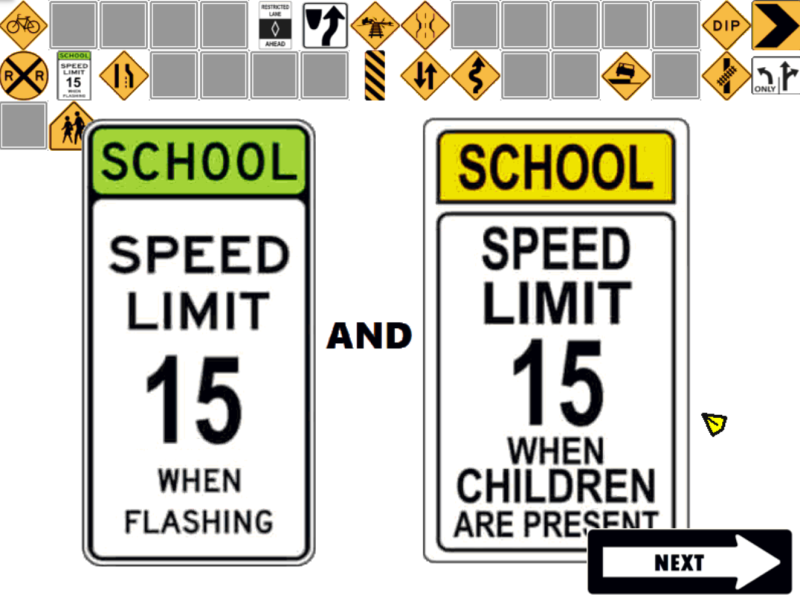
It all started here. As part of our CDL training module, I created a "bingo caller" focusing on the different street signs one would encounter on the road, some of which being of greater significance for those driving the larger, heavier commercial vehicles. We played this in the classroom. I facilitated the calling while clients each had their own unique bingo card with phrases that matched up with the images displayed on-screen.
2. Pre-Trip Inspection: Front of the Bus

Then the pandemic happened. In order to keep our training going, I scrambled to find ways to adapt the curriculum to an online, "virtual classroom" format. This was my first attempt. It contains a rudimentary menu interface, full voice narration, and a graphical point-and-click display.
3. Virtual Self-Paced Lectures
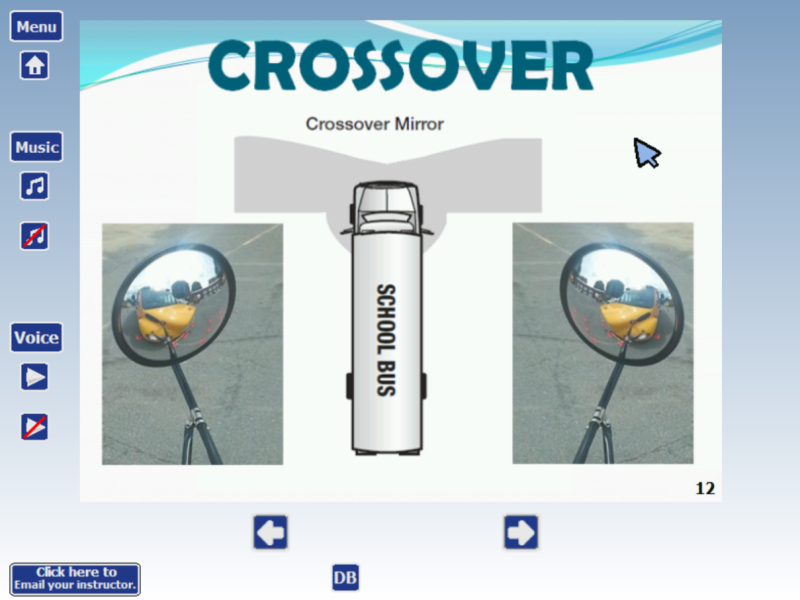
I also digitized many of the classroom lecture elements. Although there were hands-on activities interspersed with the lectures, I had to cut many of them out (until I could develop their online versions). The good news is that most of the lecture materials were relatively brief, and when the user can control the pace of the lecture itself, they can speed-through or repeat segments as desired.
4. Virtual Port Tour
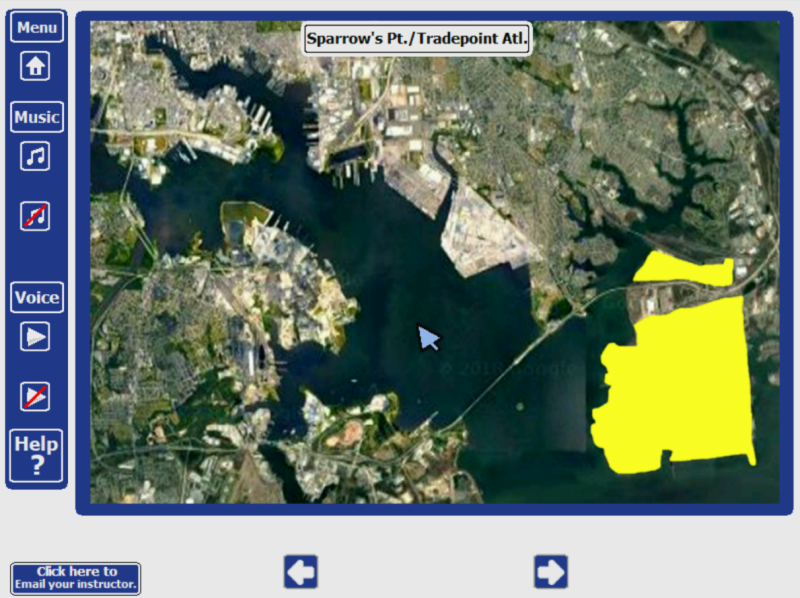
Our organization also does industry training for material handling and logistics. I pivoted from the CDL training into our warehouse and logistics training due to time constraints: CDL companies weren't hiring at the outset of the pandemic due to most public transit and schools being temporarily shut down. On the flip side, mail order and shipping of manufactured goods comparatively skyrocketed, and we wanted to make sure our clients could still find some kind of work to help make ends meet. This activity was an orientation to the various shipping terminals found in the town where we operate (Baltimore, Maryland, USA).
5. Cars Versus Forklifts
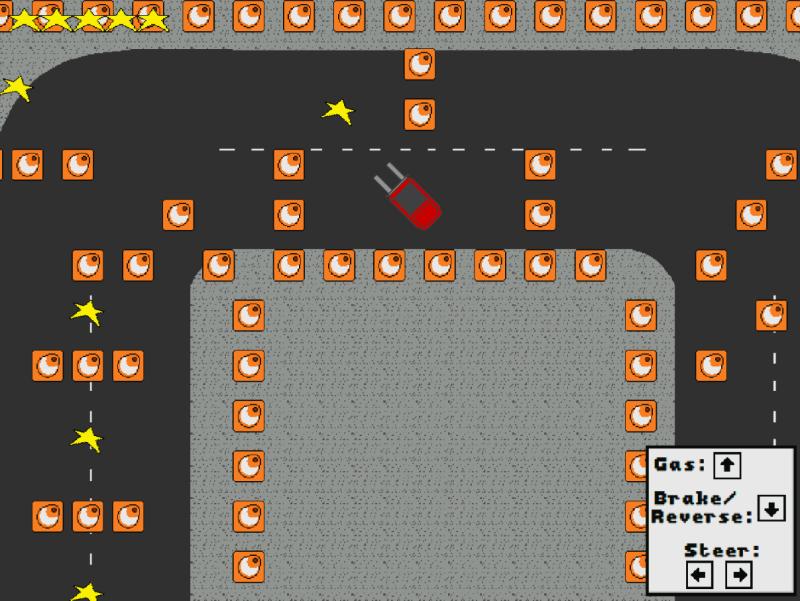
I started having a little fun with this one. It's also the most arcade-like game I've created to date. There are two stages, each one featuring a different vehicle the player must navigate around a course of traffic cones with a birds-eye view. The goal is to help the player internalize the different ways to pilot both a car and a counter-balanced forklift: each having different methods of control. We don't have a vehicle fleet available for our clients to train with, but this was my attempt at bridging that gap and preparing them as best I could.
6. How to Get It There

In addition to material handling, we provide an introduction to freight forwarding and route-planning. This is, in essence managing how goods are moved from one place to another. This activity allows the player to consider various modes of transportation, and which would be most-effective for their current cargo. Shipments can range from hundreds of tons of coal, to live animals, to industrial-size rolls of paper, and even an emergency human heart transplant.
7a. Alan and His Broken-Down Bus
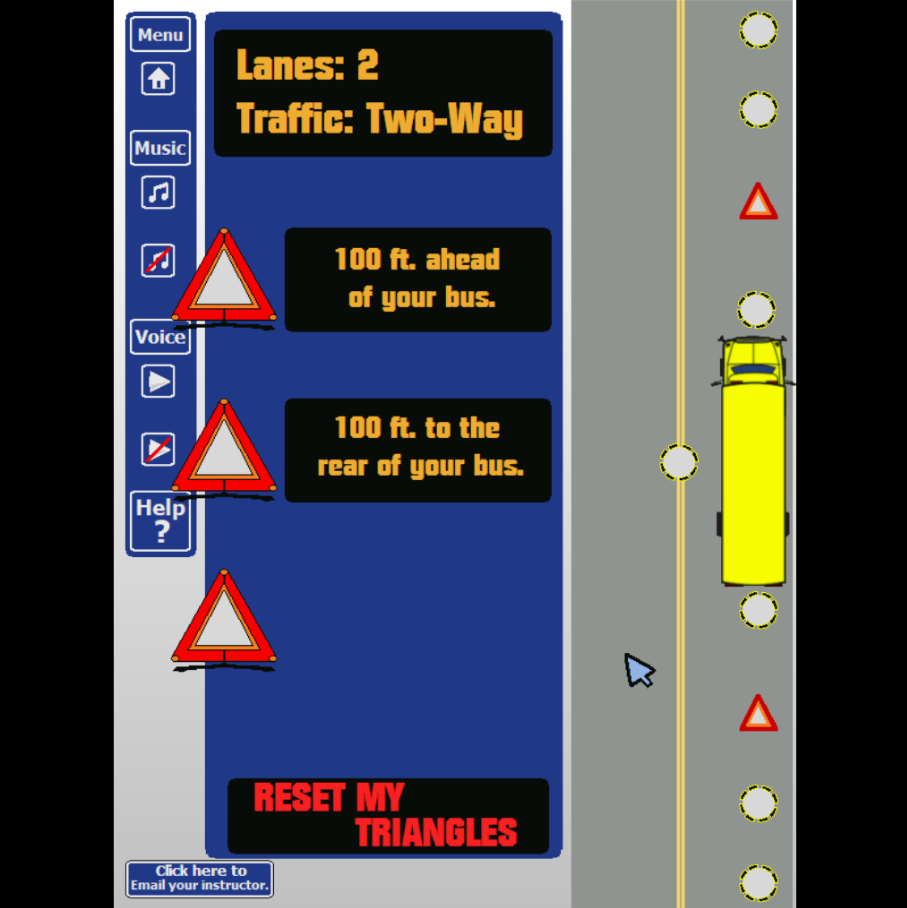
With most of the material handling & logistics curriculum sorted, I shifted again to the CDL training - which is experiencing limited re-opening and hiring. I developed this particular activity to allow a player to test their knowledge on where to place emergency signal devices (like flares and emergency triangle signs) on the road when their vehicle breaks down. There are three scenarios, each with different placements required. I provided full voice narration and even hints to assist the player - as this is rather dense, industry-specific information.
7b. Screenshot of Alan
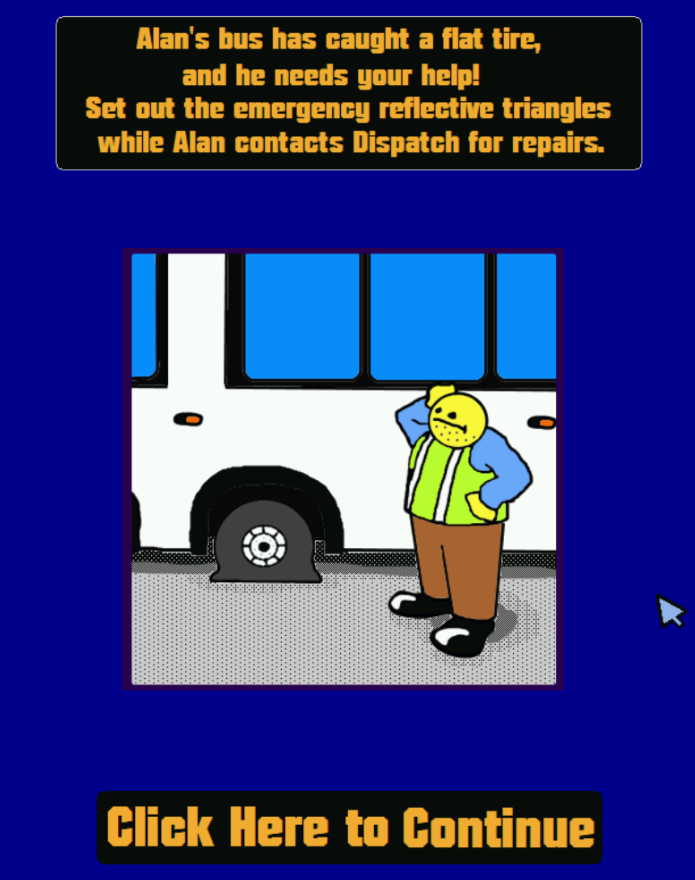
Here's a small piece of art I included in the emergency triangle game, to set the scene. I use this character a lot in the games I make, and I grin every time I'm able to sneak it in somewhere. For some foggy reason, I think the character design (at least the face) is actually inspired - if not outright stolen - from a comic strip in "Cracked" magazine, which I read a lot in my youth. The name "Alan" is my personal default name for any random guy, and has now been immortalized here.
8. Passcode Interface
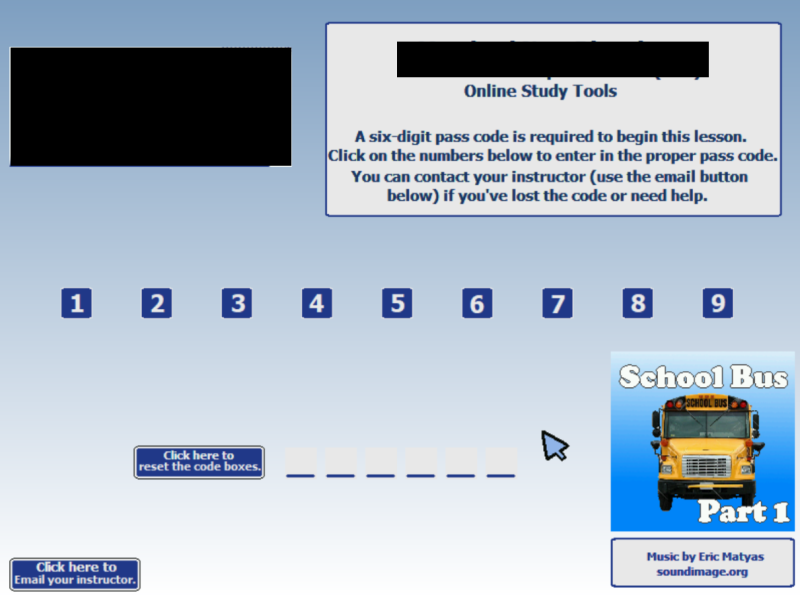
Finally, I wanted to include my "passcode" screen (I've omitted details of my day job with those black squares). This was one of my first developments when assembling even the concept of online training. I wanted to be able to "lock" the training away from the general public when required. The coding here (or rather, event structure, as I use Clickteam Fusion and not an actual coding language) allows me to use any six-digit code I want as a pass code to the software. Unless someone inputs the proper code, they won't have access. I'm surprised this actually works.
I'm surprised at my output and the end results of all of this actually, and I'm proud of what I've done so far. I stress that I am not a trained programmer, I am not a trained artist, and I am not even a trained educator. At the same time, I am technically considered a professional in all these areas, because I am paid to do them.
It was only opportunity that granted me license to do this. Looking at it one way: I had to learn it "on my feet," as curiosity and necessity provided. I also had to learn to use and implement the Moodle "virtual classroom" on the fly, and found ways to integrate lectures, quizzes, videos (some I made, some copped from YouTube), and these online activities in a package that covers a broad range of industry knowledge, while keeping things engaging by providing a variety of different methods.
My main point in mentioning all this, I suppose, is to invite you to do the same thing with your own skills and talents. I'm confident in my belief that, if someone like me can be fueled and fortified primarily by "gusto" to take care of business, then those of you who are not just curious, not just driven, but actually trained to use software tools can certainly thrive in times like these.
Take it from one no-talent white guy in his early 40's who - by stumbling from one minor success to the next - has helped hundreds of people and their families: go do the thing. You'll be surprised by what you can accomplish.
PS: I'd be completely remiss if I didn't mention Eric Matyas at SoundImage. He provides 2,000+ high quality music files for use in your projects, with no cost required. His music is sprinkled liberally through nearly every single project I've done since December 2019. I strongly recommend you check him out, and support his work with financial contributions.

MarMOTS Vision #6 Achieved!
Sun, 08/02/2020 - 13:20 — SpindleyQ
In May of 2009, over 11 years ago, I laid out a vision for a collaborative game-making tool that I wanted to make. I had fond memories of being a kid and sitting in front of a computer with my friends, throwing ideas around and banging out goofy QBasic games, and I was frustrated that there didn't seem to be anything out there that would let have that kind of experience over the internet. The only improvisational game development tools I could get my hands on were decidedly single-user; every attempt I made to collaborate on a single project failed badly. The closest thing I could get was the Pirate Kart experience - everyone doing their own thing and sharing it with everyone else as they finished, and bundling all the results in a single package.
MarMOTS was my answer: a collaborative game creation tool built out of nostalgic textmode graphics, inspired by ZZT but usable by multiple people at once, where every change was live the instant you made it. I wanted to be able to change games while other people were playing them. I wanted making and playing games with it to be a party.
I worked on it fairly steadily for two years, putting it live as soon as there was something interesting, adding features, fixing bugs, responding to the GT community that was using it. In time it became a capable ANSI art and animation creation tool. Goofy collaborations happened. Folks made some incredible art with it, which was amazing and gratifying and kept me motivated to improve it.
Then I burned out on it, life happened, and nine years went by.
In the back of my head, in those nine years, MarMOTS was always there. It was a great idea that I'd gotten _so close_ to making happen. I'd get back to it someday.
In 2009 I laid out a vision, a TODO list, each item flowing naturally from the last, each step being useful on its own, to prevent me from working and working and working and getting stuck, getting lost in my own head and ambitions, and giving up without having anything to show for it. Hard as I tried, I could never push past vision #4; vision #5 turned out to not be necessary or even a particularly good idea, and vision #6... In 2009, I wrote of vision #6: "This is the biggest leap." I got close, implementing a scripting language complete with structured editor, so that the program was always in a runnable state; but the editor never quite became usable, and I never quite worked out how I would connect that piece with the stuff I'd already built.
Today I put live a version of MarMOTS that pretty much does everything I set out to do with vision #6. I pulled back the scope of what I'd tried to do in 2011 from "a full general purpose programming language" to "maybe a minimal Bitsy-like." You can now take an ANSI drawing and add interactive elements to it (in MarMOTS these are called "bots", inspired by MegaZeux's "robots"); as soon as you do, it becomes a game that other people can play. Virtually every change propagates in real-time; if you change a drawing or a script or add a new bot in the editor, all the players will see it. I tried to make the interface as self-explanatory and discoverable as I could - the editor tells you what your options are at every stage, and it's impossible to create a syntax error.
If you decide to mess around with it and have questions or suggestions for cool things to add please let me know! I'll probably keep adding stuff and fixing bugs as the days go on. You can use MarMOTS from your browser with your Glorious Trainwrecks account credentials!
Return of MarMOTS?
Sun, 06/28/2020 - 15:22 — SpindleyQHey, remember MarMOTS, the MARvelous Multiplayer Online Telnet Server? (previous MarMOTS blog posts) I don't blame you if you don't, I haven't worked on it in almost a decade. I had this beautiful dream of a ZZT MMO; a realtime collaborative game-making tool, where we all could make cool ANSI art games together. And I managed to get to the part where we could all make cool ANSI art together!
With the various server moves over the years, MarMOTS has been up and down for a while. With the latest server move, I decided I'd dust off the ol' source code and see if I could get it running again. And... I did! MarMOTS is back up, and fully operational! It's also much easier to get running - it no longer requires Stackless Python, having now been ported to use the greenlet package instead. It also now works with a much wider variety of telnet clients than just SyncTerm - I have had reasonable success with Qodem and Netrunner, and I'm planning to see how well fTelnet does with it.
Why should you care if it's easier to get running? Well, I also took the opportunity to finally release the source code. It's now available under the AGPL, which requires anyone who makes changes to it and deploys those changes on a public server make them available from within. MarMOTS belongs to all of us, now.
I'm considering picking it back up and trying to get some simple bitsy-like interactive storytelling tools in there. We'll see how that goes. I have a half-working scripting system that I haven't looked at since 2011...

Still klikkin after all these years
Fri, 05/08/2020 - 17:09 — vampirkatSo here it is, 2020. I started freelancing after losing my nice gov't job in 2011. A lot has gone on since then. I've always had a part time gig so i could devote to making games, but most of my jobs were web design, not development.
In 2016 I bought Clickteam Fusion and planned on taking things seriously as a developer, but life took a different turn. I had to go back to the real world of work since I had a baby. My savings went pretty quickly and I had to move again :P
It took me 4 years to level up. I got a nice job. I bought a house. I was able to travel a lot and on my down time, I'd code. I never got around to taking it seriously which I should. Seeing Flappy Bird and Five Nights at Freddy's made me jelly. So why not get a piece of the pie? Then the reskinning craze hit and I knew I was going to be drowned out by a bunch of clones. So I chilled and worked on my games. My pixel art has gotten better.
My travel job has me furloughed and suddenly I have lots of time on my hands (and savings(!)) I might as well try to make something stick. My dream is to work at home as I got a 4 year old to take care of and a house to fix (for it to be 10 years old, my roof leaks!). While finally getting around to unpacking things, I came across my old Klik and Play floppies. SO MANY GAMES.
I want to be more active on here instead of wasting my time and energy on bookface :P It was a good nostalgia trip seeing what I was playing and how far I've come in my coding.
Keep klikking and making awesome stuff! <3

screenshot to game that will not be made
Sat, 05/02/2020 - 07:15 — danyburton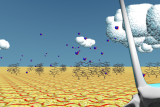
Here is a screenshot to blue wizard of the desert 2 that I was going to make. However, I am not going to make blue wizard of the desert 2 anymore so this is all it is. I am already working on league of piss 2 so too many 2 games is a bit decadent or something I think.
I was going to make blue wizard of the desert 2 as the test drive game for my new engine I have developed primarily for the creation of league of piss 2, but recently I had a much better idea for a spring game where you are a water spider which I think will be a lot better so now I am making that instead. Well I will be when the engine is finished, it still has a lot of stuff that needs to be completed before it will be usable.
Bidets: Innovating the Toilets for Good
Thu, 04/30/2020 - 02:10 — Anonymous
A few people mistake bidets for unbalanced sinks, water fountains, second toilets, or uncommon urinals. Others think bidets are utilized for washing their feet or in any event, keeping their beverages on ice (shower beer, anybody?). Perhaps you've heard accounts of individuals incidentally splashing the entire restroom! Or perhaps you've recently observed a cool real estate posting for a master suite complete with his and her cupboards and extravagant ensuite bath with bidet toilet and pondered, "what is a bidet?" Bidets are gradually turning out to be an essential component of contemporary American restrooms and have been an essential piece of other nations' washrooms for quite a while. We will explore over here what bidets are.
Despite the fact that there are numerous shapes, sizes, and sorts of bidets, all bidets are utilized for a similar reason: to clean yourself! A bidet is a particular washroom installation fixture for washing your undercarriage. It's the primary way that numerous individuals around the globe tidy themselves up after using the toilet. Present-day bidets splash a focused stream of water precisely where you need it, tidying up even your most noticeably terrible heap of messes delicately and without any problem. A bidet has customarily been a different porcelain installation that stands beside the toilet. To utilize these standalone bidets, you utilize the toilet first, at that point move over to squat or sit on the bidet for cleaning yourself. You most oftentimes observe this kind of bidet in Europe. There are cutting edge toilet and bidet combos that are a recent innovation. They are included in an existing toilet with a basic DIY installation, supplanting the toilet seat. You'll be able to use the bidet functionalities while still sitting on the pot – no waddling across the restroom! A sterile spout reaches out underneath you to splash, at that point withdraws inside the seat when not being used. Electronic bidet toilet seats even have coordinated water heaters, so you can relish warm water washes. In addition, these cutting edge wonders have a wide range of additional features like warmed seats, night lights, deodorizers, and warm air dryers. During the 1960s, Arnold Cohen (otherwise called "Mr. Bidet") assembled the first bidet toilet gadget, considering it the American Sitzbath. Being genuinely relatively revolutionary, his combination of bidet/toilet seat was to a great extent dismissed by the American people. In 1980s Japan, a manufacturer, a maker came up with a derivation of Mr. Bidet's toilet seat and now over 80% of washrooms in Japan have one! Since bidet toilet seats are anything but difficult to DIY install and don't require any significant remodels, they've gotten probably the most mainstream bidets in American washrooms, as well. There are certain bidet models that are really popular with people and are used in large numbers in most of the public and private toilets such as TOTO Washlet C100 Round Bidet Toilet Seat or TOTO Washlet C200 Round Bidet Toilet Seat that are really efficient, sophisticated and lets you clean your mess with ease and convenience.

so, we're plural
Sat, 04/04/2020 - 11:46 — spiralhey everybody, corvin here today. maybe some of y'all have noticed us, as mno, attributing our recent games to a more or different people than simply "nikki", or how we often sign our comments these days with a name. we're doing that because we're not just one person, it turns out, but a bunch of them sharing the same body. a plural system, in other words. if you want to know more, this is a pretty good page: https://morethanone.info/# and we have our own system page over here: https://skirtdingo.neocities.org/plural.html. also for context, our current avatar displays nikki specifically- we will
so, what's gonna be different from now on? not much other than what I said above. **EDIT: we have changed our account name from "mno" to "spiral", as that is our collective system name. if you don't know who you're referring to at any moment, please simply call us "spiral"**. if a game is made by or a comment is signed by a particular one of us, please address your responses to them, not to "nikki" by default. and that's about all we ask for, in addition to the respect and understanding we'd ask for to and from anybody.
what's different about the past? we're gonna assume any comment or work by us prior to 2020 can be safely attributed to nikki. we've been self-aware for a little over a year now, but it's not easy to disentangle who was who when retroactively. we're also not gonna try to edit our old games and posts to be more specific about who did or said what, for the same reason.
if u have any questions feel free to ask here. thanks y'all for being such a good community for us!!
The Game to End All Games
Thu, 03/12/2020 - 02:46 — danyburtonHello my friends. I have not posted on here in 3 years or so because I have been in a game development wormhole for 3 years working on league of piss 2. They have not been hugely productive or satisfying years. The reason for this is that league of piss 2 require a fully custom engine plus I had a few weird mental breaks where I started developing it as an isometric block game etc etc. Originally piss 2 did not have a custom engine but I had ideas that were too cool for godot and they needed to be brought to life.
Anyway, the point is that game development can be a very slow and demanding process and it can even get in the way of other parts of your life that ARE more important, and so I have conceived the idea of a game that never ends. You may remember that when minecraft came out it was in alpha status and people played the game for years alongside it's development, enjoying new features as they came out. I would like to do the same thing but with a story driven game, simply release new stories again and again, basically treating the game less like one game, and more like a program and a vehicle for the delivery of whatever stories I like. This game is not going to be in alpha status like minecraft thoiugh because that implies progress towards an end. This game will just cease development when / if I am sick of it.
I am very excited about this idea because I think that it has a lot of benefits both for me, and for the final product. I very much like small details and funny secret characters and things in games, but when you are busy and stressed this is difficult, but when you are simply creating content and the overheads of creating the game and world are already behind you, there is no reason not to add as much detail as you desire.
I also think that having all of these stories and characters within one game and one world benefits each thing, but it allows interrelation and connection between them, and a sense of exploration.
Since all this content comes out in phases, to help people keep track I think I will have a system similar to super mario 64 where you could see your progress in completing areas, as this way when areas of the game become bigger you will know to go back there. I dunno I will try that anyway.
Anyway you get the idea but that is the plan. Once I finish this engine I am never going to make another one (maybe I will make a little roguelike or some nerd shit like that but nothing worth posting here). Hopefully I will be able to post the initial playable game on here later this year.
P.S. The engine is open source so if you hypothetically wanted to make your own myst 3 + touhou clone you can do so without the cost of 3 years of your life.
